The Ring Alarm home security system is worth considering if you want a do-it-yourself security setup with wireless sensors, a keypad, a built-in siren, and optional professional monitoring. Its main advantages are straightforward installation, expandable equipment, and integration with compatible Ring devices and Amazon Alexa. However, subscription requirements, internet connectivity, and regional service limitations are important factors to consider before buying.
Ring Alarm is designed for homeowners and renters who prefer to install and manage their own security equipment. You can protect selected doors and windows, configure motion detection, and choose between self-monitoring and eligible professional monitoring services.The biggest question is whether Ring Alarm provides enough protection and convenience for its total cost. This review examines the equipment, features, subscription plans, installation process, limitations, and alternatives to help you decide whether it suits your home.
Is Ring Alarm Worth It?
Yes, Ring Alarm can be a good choice if you want flexible DIY home security and are comfortable managing the system yourself. Its value depends on how many sensors you need, whether you want professional monitoring, and which app and connectivity features matter to you.The system uses a Base Station to communicate with compatible sensors and other Alarm components. A keypad provides physical control, while the built-in siren alerts occupants when the alarm is triggered. Subscription-dependent features can add remote controls, digital notifications, cellular backup, and professional monitoring, depending on the plan and equipment.
Here is a quick overview of what to expect.
| Category | What to expect |
| Installation | DIY setup with wireless devices |
| Entry protection | Compatible door and window contact sensors |
| Motion detection | Compatible indoor motion detectors |
| Local alerts | Built-in siren when the alarm is triggered |
| Remote control | Available through eligible subscription features |
| Smart home integration | Compatible Ring devices and selected Alexa features |
| Professional monitoring | Available with an eligible plan in supported locations |
| Ongoing costs | Equipment purchases and optional or feature-dependent subscriptions |
| Best for | People who want flexible, self-managed home security |
| Main drawback | Some useful features require a recurring subscription |
One important distinction is that basic alarm functionality is not the same as a fully connected security service. Without a subscription, Ring says users can arm and disarm the system using the keypad and the siren can sound when the alarm is triggered, but digital notifications and professional monitoring are unavailable. Some app controls also require an eligible subscription. See Ring’s official monitoring and plan guidance.
What Is the Ring Alarm Home Security System?
Ring Alarm is a DIY security system from Ring, an Amazon-owned smart home brand. It uses a central Base Station and compatible devices to monitor selected entry points and detect movement in protected areas.Unlike a standalone security camera, an alarm system can alert you when a protected door or window opens or when a compatible motion detector identifies movement. You can expand the system with additional sensors and integrate it with supported Ring cameras, doorbells, and Alexa-enabled devices.
What Comes in a Ring Alarm Kit?
The exact contents depend on the kit and generation you purchase. Common components include:
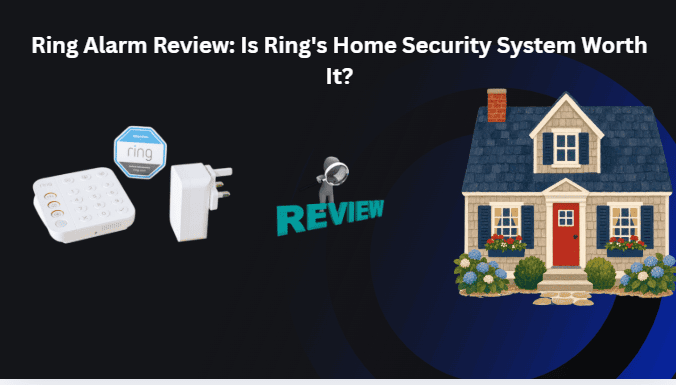
- Base Station: The central unit that coordinates compatible Alarm devices and includes a built-in siren.
- Keypad: Allows you to arm and disarm the system using physical controls.
- Contact sensors: Detect when a protected door or window opens.
- Motion detector: Detects movement in a monitored indoor area.
- Range extender: Helps extend the wireless network used by compatible Alarm devices.
Not every package includes the same number of sensors. Check the product listing carefully before purchasing, particularly if you need to cover several exterior doors, ground-floor windows, or multiple rooms.The Base Station should be placed where its siren can be heard, its network connection is reliable, and compatible sensors can communicate with it. Ring recommends a central location to improve device coverage. Its official Base Station installation guide explains the placement requirements.
Ring Alarm Features That Matter Most
Ring Alarm’s value depends on how its sensors, controls, and connected services work together. These are the main features to consider before purchasing a kit. Compare the 5 best smart home alarm systems of 2026 for reliable security and peace of mind
Door and Window Monitoring
Contact sensors help detect when a protected door or window opens. Each sensor monitors the opening where it is installed, so you should plan the layout according to your home’s entrances and vulnerable access points.When the system is armed in an appropriate mode, an opening can trigger the alarm according to the sensor’s configuration. Review the settings for every sensor rather than assuming all connected devices behave identically.
Indoor Motion Detection
Compatible motion detectors provide another layer of protection beyond entry sensors. They can monitor selected rooms and trigger an alarm when movement is detected under the configured security settings.Placement matters, especially if you have pets or frequently move around the house while the system is armed. Check the specifications of your particular detector and follow the manufacturer’s placement guidance.
Home and Away Security Modes
Ring Alarm supports three primary modes:
- Disarmed: The system is not armed for ordinary intrusion detection, although some compatible devices may continue operating.
- Home: Protects the selected entry points while allowing normal movement in designated indoor areas.
- Away: Arms the configured sensors when you leave the property.
You can configure supported sensors to behave differently depending on the mode. Before relying on the system, test each mode and confirm that the intended doors, windows, and motion detectors respond correctly.
Mobile App Controls and Notifications
The Ring app provides a central place to manage compatible devices and review their status. With the appropriate subscription and settings, you can access supported remote controls and receive digital alerts when alarm events occur.However, app notifications are not guaranteed emergency responses. They may be unavailable if your subscription does not include the required features, the Base Station loses connectivity, or your phone cannot receive notifications.
If you choose self-monitoring, remember that you are responsible for responding to the alerts you receive.
Ring Camera and Alexa Integration
Ring Alarm can complement compatible Ring cameras and doorbells. These devices provide visual information that can help you understand an event, while the alarm system focuses on intrusion detection through sensors.Selected Alexa devices and features can also support voice commands, announcements, or routines. Compatibility depends on your particular products, accounts, and available integrations.Before buying, verify the exact Alexa commands supported by your Echo device and Ring Alarm generation. Do not assume that every alarm function can be controlled by voice.
Battery and Cellular Backup
The Ring Alarm Base Station includes a backup battery designed to keep the system operating during certain power interruptions. Compatible subscriptions can also provide cellular backup, allowing the Base Station to communicate when its normal internet connection is lost.Ring explains that the system can remain armed and its siren can still operate when the Base Station goes offline. However, app access may be unavailable. Cellular backup requires a compatible subscription, and its availability depends on the equipment and service conditions.
How Much Does Ring Alarm Cost?
The total cost includes the initial equipment purchase and any recurring subscriptions you need for your preferred features.Hardware prices vary by kit, retailer, and promotion. A smaller package may cost less upfront but require additional sensors to protect all the entry points in your home.Before choosing a kit, list the doors, windows, and rooms you want to monitor. Then compare the cost of the required equipment with the price of any subscription you plan to use.
Ring Subscription Plans and Monitoring Costs
Ring changed its subscription naming in 2026. Its current US plans include Ring Solo, Ring Multi, Ring Pro, and Virtual Security Guard. The following prices are those displayed on Ring’s official US plans page when this draft was prepared; confirm them before publication.
| Ring plan | Listed US price | General purpose |
| Ring Solo | $4.99/month or $49.99/year | Eligible features for one device |
| Ring Multi | $9.99/month or $99.99/year | Eligible features for devices at one location |
| Ring Pro | $19.99/month or $199.99/year | Advanced features and 24/7 professional monitoring |
| Virtual Security Guard | $99/month | Live video monitoring and additional security services |
Prices are in US dollars and exclude applicable taxes. Plans auto-renew until canceled, and feature eligibility depends on the subscription, devices, and location.
Source: Ring’s official subscription plans.
These plans are not interchangeable. Ring Solo and Ring Multi primarily provide connected-device features, while Ring Pro includes 24/7 professional monitoring for eligible customers. Virtual Security Guard adds live video monitoring for supported devices and services.Do not assume that purchasing an alarm kit includes all subscription features indefinitely. Review the terms for your chosen plan and distinguish between basic local alarm operation, digital controls, video recording, cellular backup, and professional monitoring.
Is Professional Monitoring Worth It?
Professional monitoring can be valuable if you want a monitoring center to handle alarm signals when you cannot respond yourself.With an eligible Ring Pro subscription, the monitoring center may contact you and your emergency contacts when an alarm event occurs. If assistance is needed or the monitoring center cannot reach you, it can request emergency services under the service’s procedures and terms.Professional monitoring is available in the United States, excluding US territories, and in Canada, excluding Quebec. Local permits or additional fees may apply.The service is worth considering if you travel frequently, want a response process that does not rely entirely on your phone, or prefer professional assistance. Self-monitoring may be sufficient if you are comfortable receiving alerts and handling the response yourself.
How Easy Is Ring Alarm to Install?
Ring Alarm is designed for DIY installation. Its wireless sensors mean most users do not need a professional installer to attach the included devices, although the time required depends on the size of the system and the layout of the property.Setup is managed through the Ring app, which guides you through connecting the Base Station and adding compatible devices.
What You Need Before Installation?
Prepare the following:
- A compatible smartphone or tablet with the Ring app.
- A Ring account.
- A suitable Wi-Fi connection or supported Ethernet connection for the Base Station.
- A suitable location for the Base Station.
- The sensors, keypad, and other components included in your kit.
Ring Alarm Installation Steps
- Download the Ring app and sign in to your Ring account, or create an account if you are new to Ring.
- Open the app dashboard and tap Set Up a Device.
- Select the option for setting up a Ring Alarm Base Station or compatible sensor.
- Follow the on-screen instructions to connect the Base Station to your network.
- Allow the app to discover the devices included in your kit. Set up additional sensors individually when prompted.
- Position contact sensors on the doors and windows you want to protect, following the device instructions.
- Place motion detectors in appropriate indoor locations and install the range extender if your setup requires one.
- Test the sensors, confirm that connected devices appear correctly in the app, and configure the available security modes and notification settings.
- If you want professional monitoring, check your eligibility and activate the required subscription and settings.
Do not remove sensor battery tabs before the app instructs you to do so. The precise process may vary by kit and device generation, so follow the instructions displayed for your equipment.
What Are the Biggest Drawbacks of Ring Alarm?
Ring Alarm offers useful features, but it has limitations that may affect its value for some households.
Subscription Costs Can Add Up
The upfront equipment price is only part of the total cost if you need advanced connected features. Remote app controls, digital notifications, cellular backup, video recording, and professional monitoring have different eligibility requirements.Calculate the total cost over several years instead of comparing hardware prices alone. This is particularly important if you need multiple sensors and want a paid monitoring service.
Internet and Power Outages Affect Connected Features
The Base Station has backup capabilities, but not every feature remains available during an outage. Loss of internet access can interrupt app control, while battery backup may reduce the system’s functions during an extended power interruption.Cellular backup can help maintain communication with the monitoring service when the normal internet connection fails, provided the equipment and subscription support it.
DIY Installation Requires Careful Planning
You are responsible for choosing sensor locations and confirming that your system covers the entrances you want to protect. A sensor cannot monitor a door or window where it has not been installed.Walk through your home before installation and identify less obvious access points, such as garage entry doors and ground-floor windows. Test the complete setup before relying on it.
Smart Home Compatibility Is Not Universal
Ring supports selected smart home devices and services, but compatibility varies by product and account. Alexa integration does not mean every Ring Alarm function can be controlled by voice.If you already use another smart home platform, confirm its compatibility with your specific Ring equipment before purchasing.
Privacy and Account Security Require Attention
Ring devices process account information and security event data to provide their services. Compatible cameras and doorbells may also collect video, depending on their configuration and subscription.Use a strong, unique password, enable available account security protections, and review who has access to shared devices. Position cameras responsibly and follow applicable recording and privacy laws.
Ring Alarm vs. Other Home Security Systems
Ring is one option in a broader home security market. The right choice depends on whether you prioritize DIY installation, professional assistance, smart home integration, or particular subscription arrangements.
| Security option | Best for | Main consideration |
| Ring Alarm | DIY users and households with compatible Ring devices | Some features require subscriptions |
| SimpliSafe | Buyers seeking a dedicated DIY alarm system | Compare equipment packages and monitoring costs |
| ADT | Buyers who prefer professional security services | Pricing, installation, and contract terms vary |
| Local security provider | Homes needing a tailored installation | Equipment, response services, and service quality vary |
This is a general comparison, not a hands-on performance ranking. Features and prices change, so compare current packages, monitoring requirements, cancellation terms, and backup capabilities before deciding.Ring Alarm is especially convenient if you already own compatible Ring cameras or doorbells and want to manage your devices through one app. A professionally installed system may be a better fit if you want someone else to assess coverage and install the equipment.
Features and Specifications Reviewed
This review is based on Ring’s published product documentation, installation guidance, and subscription information. No hands-on testing results were supplied for this article, so it does not claim independently tested performance, installation times, or verified outage results.
For a full product review, the author should test the specific Ring Alarm kit being discussed and document:
- The Base Station generation and included sensor models.
- The actual installation process and any setup difficulties.
- Contact sensor and motion detector responses.
- The behavior of Home and Away modes.
- Which functions remain available during internet and power interruptions.
- The app version and subscription plan used during testing.
If the author completes these tests, add the actual observations and original photographs. Otherwise, retain the distinction between published specifications and firsthand experience.
Who Should Buy Ring Alarm?
Ring Alarm is best suited to people who want a flexible security system that they can install and manage themselves.
Consider Ring Alarm if you:
- Want wireless door, window, and motion sensors.
- Already own compatible Ring cameras or doorbells.
- Prefer DIY installation over arranging a professional appointment.
- Want the option of professional monitoring in a supported location.
- Are comfortable managing equipment placement and account settings.
Consider another system if you:
- Prefer professional installation and ongoing support.
- Need integrations that Ring does not support.
- Want to minimize recurring subscription expenses.
- Have specific backup or emergency-response requirements that Ring does not meet.
Before buying, decide which entrances need protection and whether you want self-monitoring or professional monitoring. This will help you choose an appropriate kit without paying for unnecessary equipment or services.
Frequently Asked Questions
Does Ring Alarm Work Without a Subscription?
Yes, but its functionality is limited. Without a subscription, you can arm and disarm Ring Alarm using the physical keypad, and the siren can sound when the alarm is triggered. Digital notifications, professional monitoring, and certain app-based features require an eligible subscription. Check Ring’s current plan terms before purchasing.
Does Ring Alarm Call the Police Automatically?
Not in every situation. With eligible professional monitoring, Ring’s monitoring center can contact you and your emergency contacts and request emergency services when appropriate under its procedures. Self-monitoring users are responsible for responding to alerts themselves.
Can I Use Ring Alarm With Alexa?
Yes, Ring Alarm supports selected Alexa integrations on compatible devices and accounts. Available commands and routines depend on your equipment and the features supported by your account. Check compatibility before purchasing.
Does Ring Alarm Work If Wi-Fi Goes Down?
Some local alarm functions can continue working if the Base Station loses its internet connection. Ring says the system can remain armed and its siren can still operate, but app control may be unavailable. Cellular backup requires a compatible subscription, and not every feature is guaranteed to remain available during an outage.
Is Ring Alarm Good for Renters?
Ring Alarm can be a practical option for renters because it is designed for DIY installation and uses wireless sensors. Check your lease before mounting equipment and make sure the selected kit can cover the doors and windows in your rental.
Final Verdict
Ring Alarm is a worthwhile option for people who want DIY home security, expandable wireless sensors, and integration with compatible Ring devices. Its straightforward installation and flexible equipment choices make it appealing to homeowners and renters who want to manage their own setup.However, its value depends on the features you need. Subscription costs can affect the overall price, and basic alarm operation without a subscription does not provide the same connected experience as a paid plan. Professional monitoring is also limited to supported regions.